Interact with SOV data
Last updated: June 30, 2026
In an Archipelago SOV, you can see property data in one place, filter information, access unique insights, and more.
Click on SOVs left side.
From the SOVs Page, click on an SOV to view the set of property data.
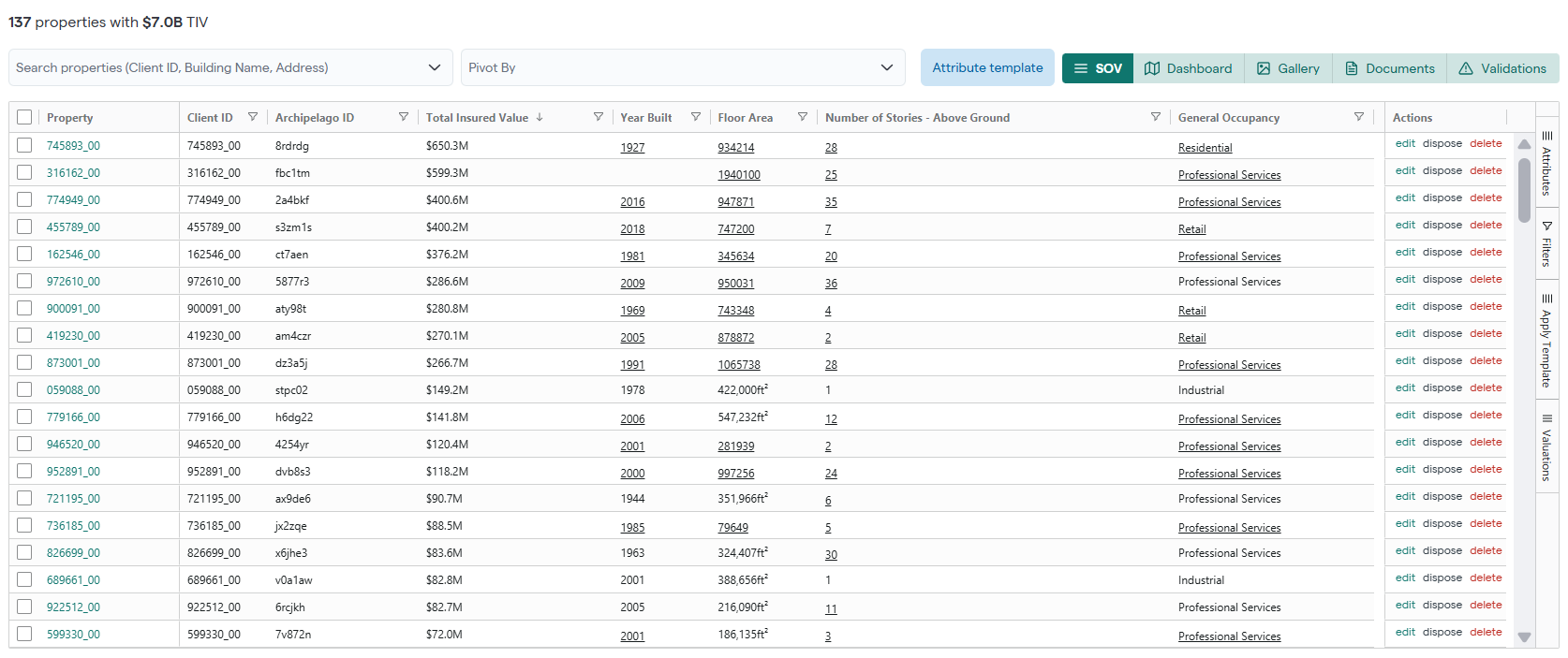
Sample SOV View
But that's only the beginning. In an SOV, you can also:
Manage Properties in the SOV view.
Manage Documents in the SOV.
Filter data to find exactly what you need.
Change the way you View Data in an SOV View.
Discover unique insights about an SOV.
Export data from the platform.
Interact with SOV data video:
If you're using Archipelago as an underwriter, click the link you receive via email to view a submission for the first time. After you access a submission through its direct link, you'll then be able to access it every time you log in.