Apply Valuation Increase
Last updated: June 16, 2026
Apply a percentage increase or decrease to valuation values for multiple properties.
Open a SOV.
Click Manage Properties.
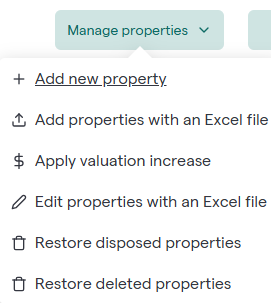
Select Apply Valuation Increase.
Use the filter options to identify the properties you want to update.
Click Apply Filters. 📄 Filter operator reference
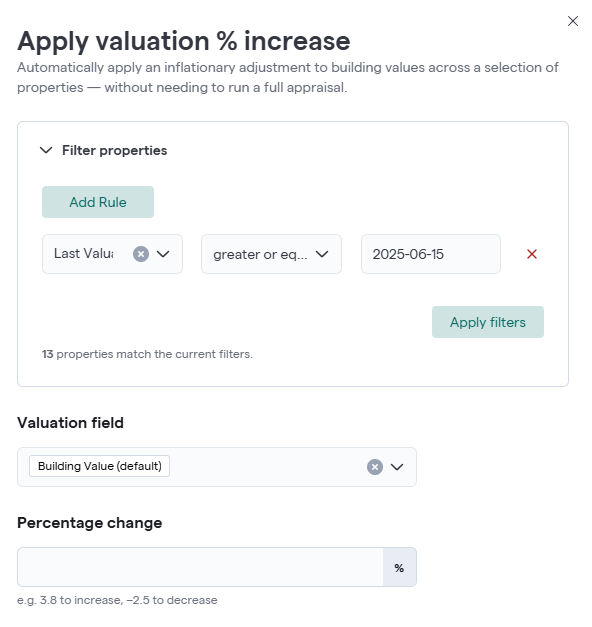
Select a Valuation Field. Available valuation fields include:
-Building Value (default)
-All Other Contents
-Business Income
Enter a Percentage Change
Examples:
3.8 increases values by 3.8%.
-2.5 decreases values by 2.5%.
Download the generated worksheet. Review the updated values in the worksheet. You may edit the worksheet before uploading it. Upload the updated worksheet and click submit. Archipelago will validate the worksheet and apply the changes.
Tip: Use filters to limit the update to a specific group of properties before generating the worksheet.