Attribute Template
Last updated: June 30, 2026
Attribute templates let you create and save a default set of attributes to appear in the SOV grid for future uploads.
Navigation
SOVs > select the SOV> Attribute Template > Manage Attribute Templates
Use this function to create and save templates by selecting the attributes you want shown in your grid. Templates can be shared with other users and exported.
Create an Attribute Template (step-by-step)
1. Go to SOVs and open the desired SOV.
2. Click Apply Attribute Template > Manage Attribute Templates.

3. Click Create Template.
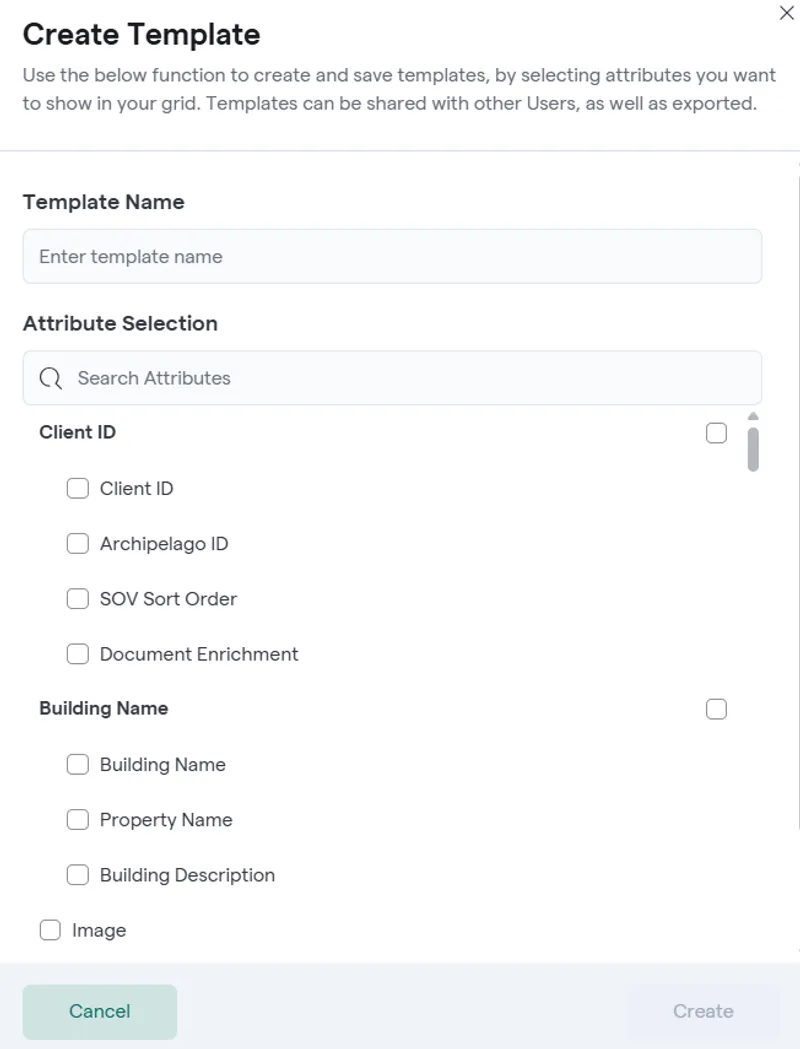
4. Enter Template Name.
5. Select the attributes you want to appear in the grid using the Attribute Selection area (search + checkboxes).
a. You can also press the "Use current grid view" button to match the template to what has been selected by you in the vertical sidebar on the right of the SOV
6. Order the Attributes by clicking and dragging to the desired order
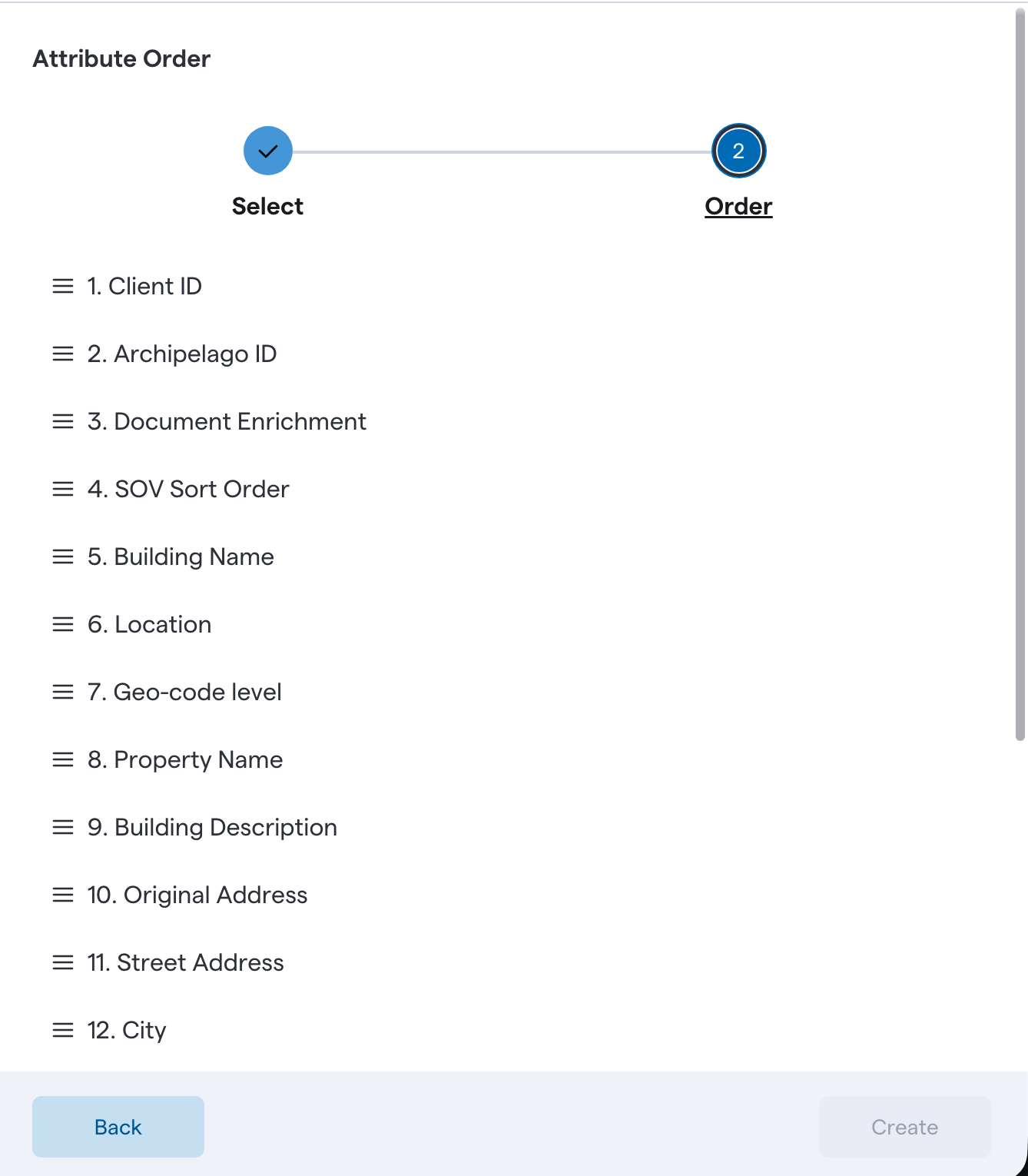
7. Click Create to save the template.
8. Your templates are shared with reviewers and colleagues to apply with one click